Measurement
Description
The Measurement tool lets you perform different operations on the map depending on the project’s needs. It includes the following functionalities:
Position: lets you get the coordinates by clicking any point on the map; this option is available from the measure line or area buttons.
Length
 : calculates the distance between selected points and generates an elevation profile of the defined segment, with export and print options.
Area
 : lets you obtain the surface of a polygon defined on the map, either by accessing it from the corresponding button or by switching to the Area mode within the same measurement tool.
Direction: lets you obtain the azimuth bearing by clicking on two points on the map. This function is also available from the measure line or area buttons.
How to use
Position: to get the position of a point, access the Position option from the measurement buttons. When you click on any point on the map, the corresponding coordinates will be shown.
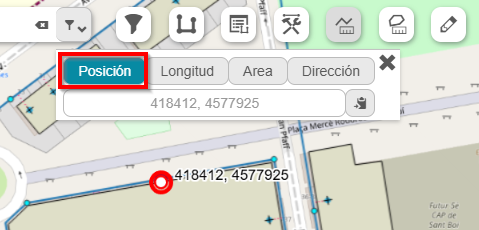
Fig. 2 Obtaining point coordinates on the map.
Length: once the tool is selected, activate the Length mode. Then, click on the map points between which you want to obtain the distance. The measurement units can be configured according to the project’s requirements. After defining the segment, the generated elevation profile will be shown at the bottom.
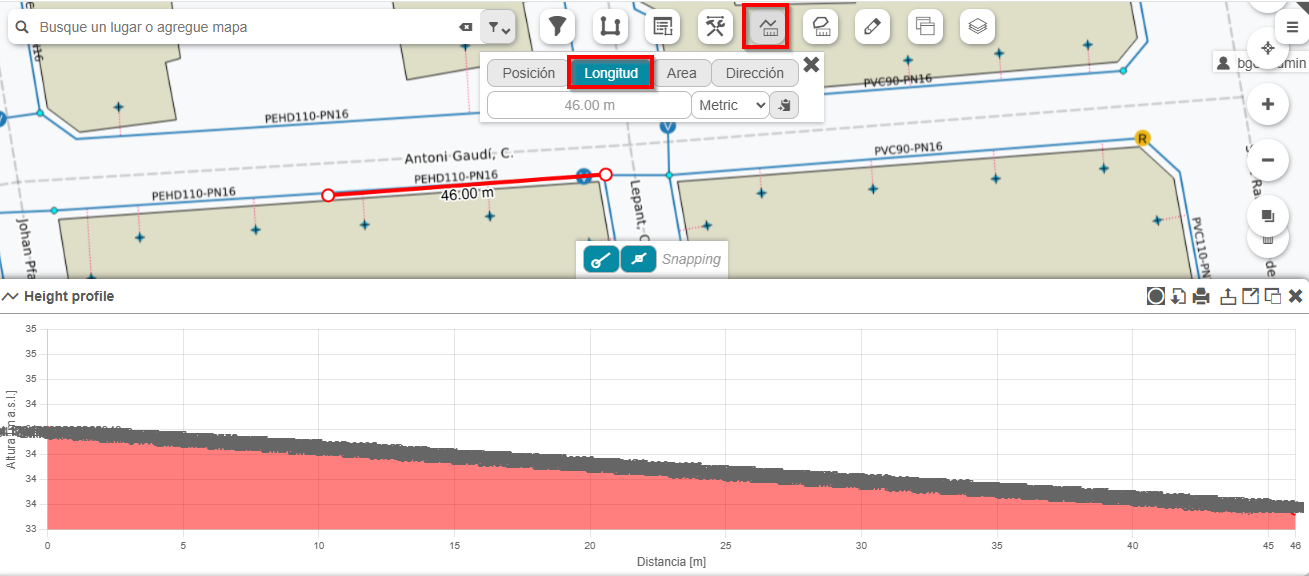
Fig. 3 Using the Measurement tool to calculate Length.
Area: to measure an area, you must select the Area mode from the measurement tool or directly from its button. Then, the polygon vertices are defined by clicking the corresponding points on the map. Once the polygon is closed, the calculated surface will be displayed.
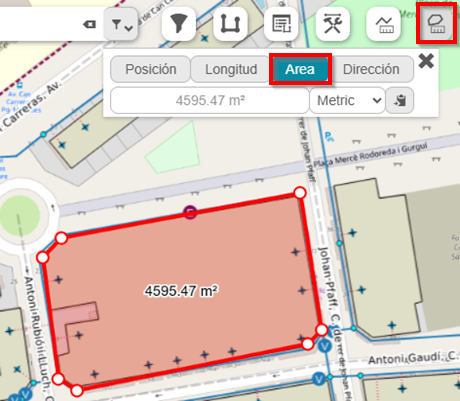
Fig. 4 Calculated area for a given polygon.
Direction: select the Direction option from the measurement buttons. Then click on two map points that define the direction to analyze. The system will calculate the corresponding azimuth between both points.
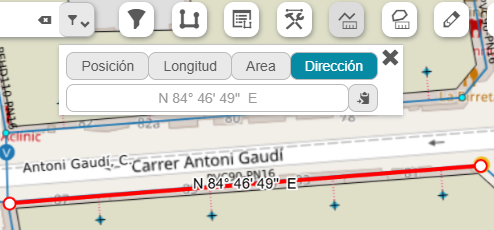
Fig. 5 Calculation of bearing or azimuth between two points.