Layers and Legend 
Description
The Layers and Legend button lets you access a side menu where the layers that make up the currently selected theme are shown. From this panel, you can view the information available on the map, as well as the hierarchical or grouped relationship of the active layers.
Important
This tool will only appear if the theme is not tiled.
How to use
When you activate the Layers and Legend panel, the list of layers corresponding to the active theme is displayed. Each layer can be hidden or shown as needed via its visibility control, and it can also be removed temporarily from the map. If you need to add new layers, the panel provides options to import external content, either through a WMS service or from compatible local files, also temporarily.
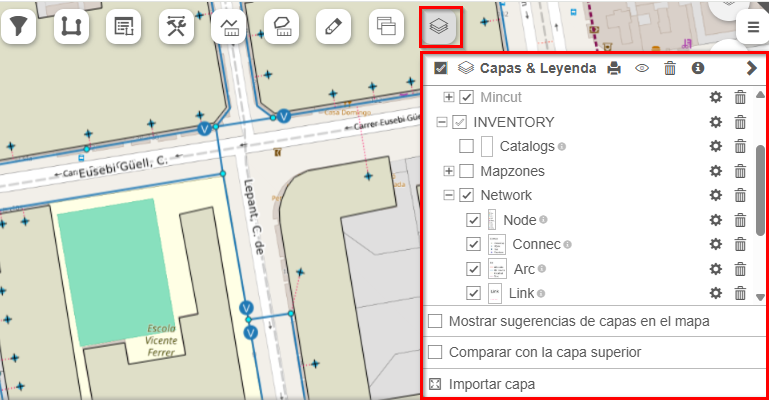
Fig. 8 Layers and Legend tool.