Info
Description
Displays the attributes form that contains several information tabs and allows you to:
Consult technical data.
Modify authorized information.
Execute specific actions (for example, mark as inactive).
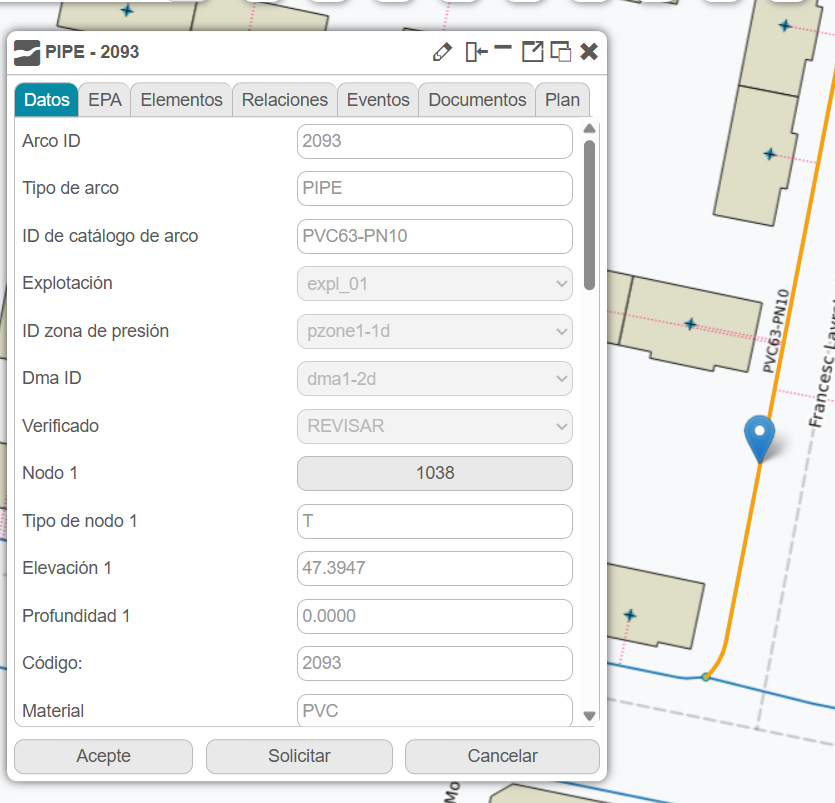
Fig. 15 Information in the attributes form.
How to use
When you click on a map element, its attributes form is displayed. You can make changes to the editable fields as long as the user has permission to make changes (according to their Giswater role in the database). If we attempt to make changes with a user without permissions by clicking on ‘Accept’, we will see an error.
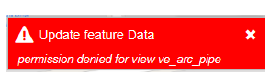
Fig. 16 Error when you don’t have the required permissions.